Waveform Editing
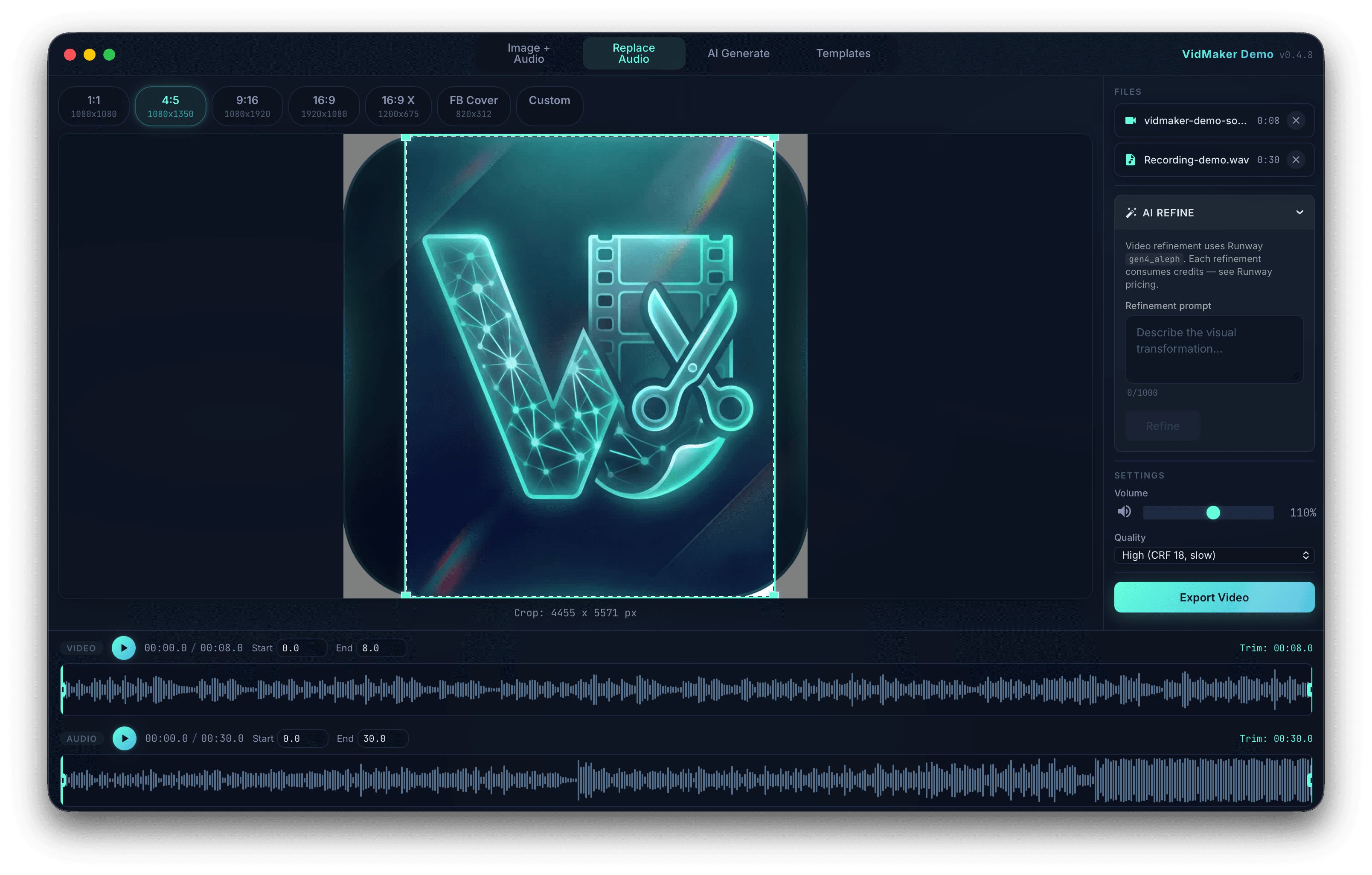
See the full audio waveform for both audio files and video soundtracks. Set trim start and end points visually with generated peak data.
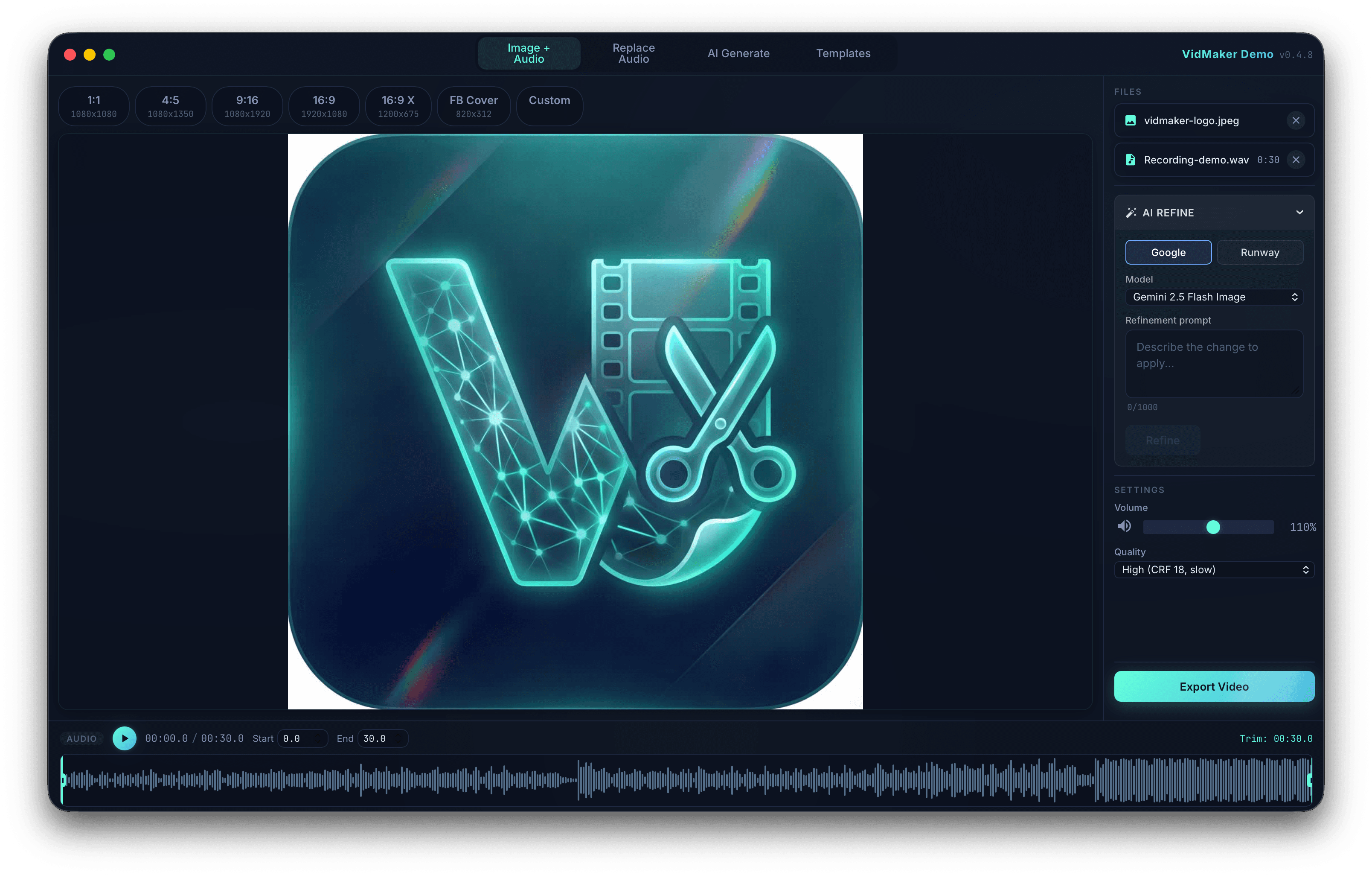
Turn an image and track into a social video, or replace a clip's audio. Trim against the waveform, crop for the destination and export locally.
Inside the product
Combine media, generate new visuals, and build reusable video treatments for polished multi-format exports.
Take over the fictional project, or watch a muted pass from source clip to social preview.
All clip names and visuals are fictional. No video, audio, upload, or export occurs.
Each chapter has one job. Move from source to timing to frame to final render without a full production suite getting in the way.
Drop an image and audio track, use an existing video, or pass generated media directly from the optional AI tools.
Read generated peaks, set exact in and out points, and align replacement audio with the original video context.
Reframe to 16:9, 9:16, 1:1, 4:3 or 3:4 with a live crop before committing the render.
Choose volume and CRF quality, then follow real FFmpeg progress until the local MP4 is ready to publish.
Waveform trimming, aspect-ratio cropping, volume and CRF presets, without a timeline to learn.
See the full audio waveform for both audio files and video soundtracks. Set trim start and end points visually with generated peak data.
Interactive crop tool with platform-specific aspect ratio presets. Frame your content for 16:9, 9:16, 1:1, 4:3, or 3:4 with live preview.
Trim both audio and video start/end points independently. Synchronized controls let you align your cut points with precision.
Adjust output audio volume from 0x to 2x. Choose between High, Medium, and Fast quality presets with different CRF and encoding speed trade-offs.
Drop files directly into VidMaker from your file manager. Supports all common image, audio, and video formats.
Watch FFmpeg render progress in real-time as your video exports — a live percentage parsed from the encoder, not a spinner.
Crop presets for 16:9, 9:16, 1:1, 4:3 and 3:4. Frame once, export per platform.
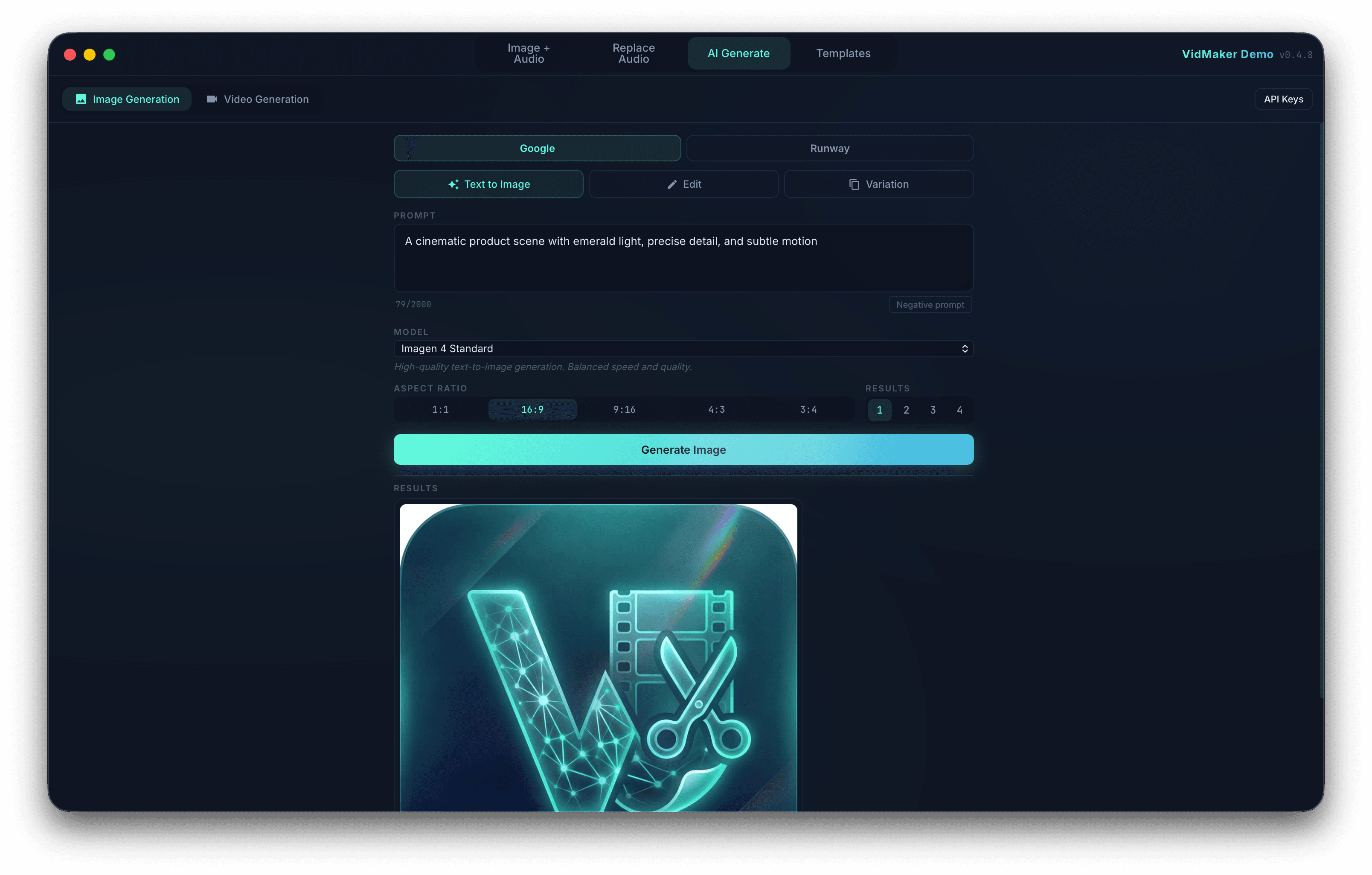
Generate images and videos from text prompts, then flow them directly into your editing workflows. AI generation is optional and requires your own Google Gemini or Runway API key. Provider quotas and usage charges are separate from your VidMaker plan.
Generate images from text prompts using Google Imagen 3. Create variations of existing images or edit them with instructions. Use the result directly in your Image + Audio workflow with one click.
Generate videos from text prompts or transform still images into motion. Multiple model options from Google Veo and Runway, with results flowing into your Replace Audio workflow for post-processing.
Pick a workflow, drop in your files, adjust, and render. There is no timeline or layer system to learn first.
Drag your image and audio files into VidMaker, or generate content using the built-in AI tools. Start from what you have.
Use the waveform editor to set audio trim points, crop the image to your target format, and dial in volume and quality.
Hit export and VidMaker renders your video locally with FFmpeg. Open the output folder directly and upload to your platform.
The same app on macOS, Linux and Windows.
Apple Silicon & Intel
x86_64
x86_64
Yes, but you don't need to install it manually. VidMaker auto-detects a system FFmpeg or downloads a portable copy to ~/.config/vidmaker/bin/ on first launch. No PATH configuration needed.
Yes. The core editing workflows — Image + Audio to Video and Replace Audio — run entirely locally with FFmpeg. AI generation is optional and requires your own Google Gemini or Runway API key. Provider quotas and usage charges are separate from your VidMaker plan.
VidMaker runs on macOS (Apple Silicon and Intel), Linux (x86_64), and Windows (x86_64). All platforms get the same feature set.
A free trial activates automatically on first launch. Paid licenses are activated in-app with a license key sent to your email after purchase. Licenses support offline validation with periodic online refresh.
VidMaker exports to MP4 (H.264) with configurable quality presets: High (CRF 18, slow encoding), Medium (CRF 23, balanced), and Fast (CRF 28, quick encoding). Output is optimized for social media upload.
Yes. Drop or select any common image format (PNG, JPG, WebP) and audio format (MP3, WAV, M4A, AAC, OGG) directly into the app. You can also use AI-generated content from within VidMaker.
How waveform-first editing and AI-assisted generation create social videos in minutes.
Every plan includes all editing workflows, optional AI integrations, and updates. No feature gating.
Full access, cancel between projects and come back later.
AI generation is optional and requires your own Google Gemini or Runway API key. Provider quotas and usage charges are separate from your VidMaker plan.
SubscribeTry free for 14 daysBilled at EUR 48/year. Best value for active creators.
AI generation is optional and requires your own Google Gemini or Runway API key. Provider quotas and usage charges are separate from your VidMaker plan.
Get YearlyTry free for 14 daysOne payment for the entire v1 lifecycle. Every update included.
AI generation is optional and requires your own Google Gemini or Runway API key. Provider quotas and usage charges are separate from your VidMaker plan.
Buy LifetimeTry free for 14 daysRelease notes, technical deep-dives and product updates. No spam, and you can unsubscribe at any time.